
Logging In / Creating an account
How do I log in and/or create an account?
- Click Find and Post roles at the top of the homepage.
- On the top right corner, you will see an “employers” icon where you can login or create an account

Enter the email address and password you used when registering, or follow the prompts if you are creating an account
- Do not login via the homepage “login” as this is for Pro Bono Staff only
I don’t have an account yet. How do I sign up?
- Click Post a Job or Register on the homepage.
- Select Employer Account.
- Complete the registration form and verify your email.
- Once verified, you can log in and post your role.
I’ve forgotten my password — what should I do?
- Click Forgot Password? on the login page.
- Enter your registered email address.
- Follow the reset link sent to your inbox.
If you don’t see the email, check your spam or junk folder.
I cannot login with my old credentials previously used on the older PBA Jobs Board?
Your old credentials are not applicable anymore. You will need to create a new account. You can still use the same email and password when creating a new account
Posting a Job
How do I post a job?
- Log in to your employer dashboard via the “Find & Post roles “ section on the website (see above)
- Click Post a Job.
- Enter your job details, including title, location, employment type, and description or import your job via url link.
- Review your listing.
- Submit and publish your role.
What information do I need to post a role?
You’ll typically need:
- Job title
- Organisation name
- Location (or remote option)
- Employment type (full-time, part-time, contract, etc.)
- Salary range (if applicable)
- Job description and responsibilities
- Application instructions or link
Can I save a job as a draft?
Yes. You can save your job listing as a draft and return to it later before publishing.
How long does a job stay live?
Job listings remain live for the duration selected at checkout or as outlined in your posting package. 30 days is our maximum time to advertise a roles.
What if you use integration?
As mentioned above, you will not be able to integrate to post your roles via Job adder or Page up and other integrations apps.
You will also be able to use an existing link to export all the details from the job link you already have, which allows you to post a role in a couple of minutes.
Managing Your Job Listings
Can I edit a job after it’s been posted?
Yes. Log in to your dashboard, select the job listing, and click Edit to make changes.
Can I close or remove a job early?
Yes. You can close or deactivate a listing at any time from your dashboard.
Where can I see applications?
Applications are sent directly to the email address or application link you provide in the job listing.
Will I see my previous roles posted?
You will not see any previous roles posted to our old jobs board or prior to creating a new account on the new platform. You will, however, be able to see all roles posted on the new platform once you have created a new account and posted roles.
Payments & Support
Is payment required to post a job?
Yes. Pricing and posting options are outlined on our Post a Job page
Do credits have an expiry date?
Yes, credits will expire 6 months from date of purchase
Can I purchase job packs?
Yes, you are able to purchase up to 10 Job credits at a time. Discounts are available and outlined on our website. Your remaining credits will be in your account until you use them up or until they expire for future posting.
Can I pay by invoice?
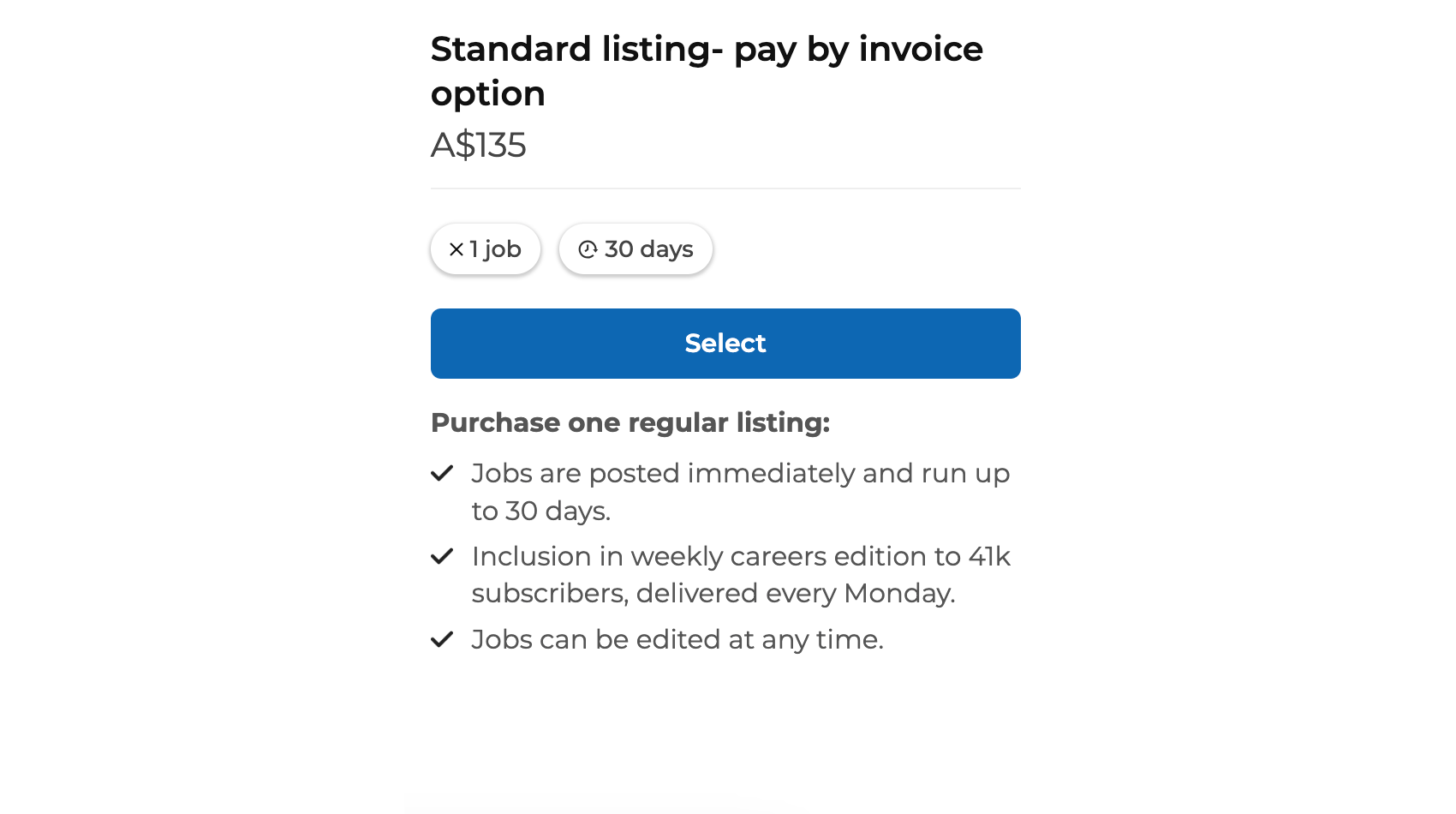
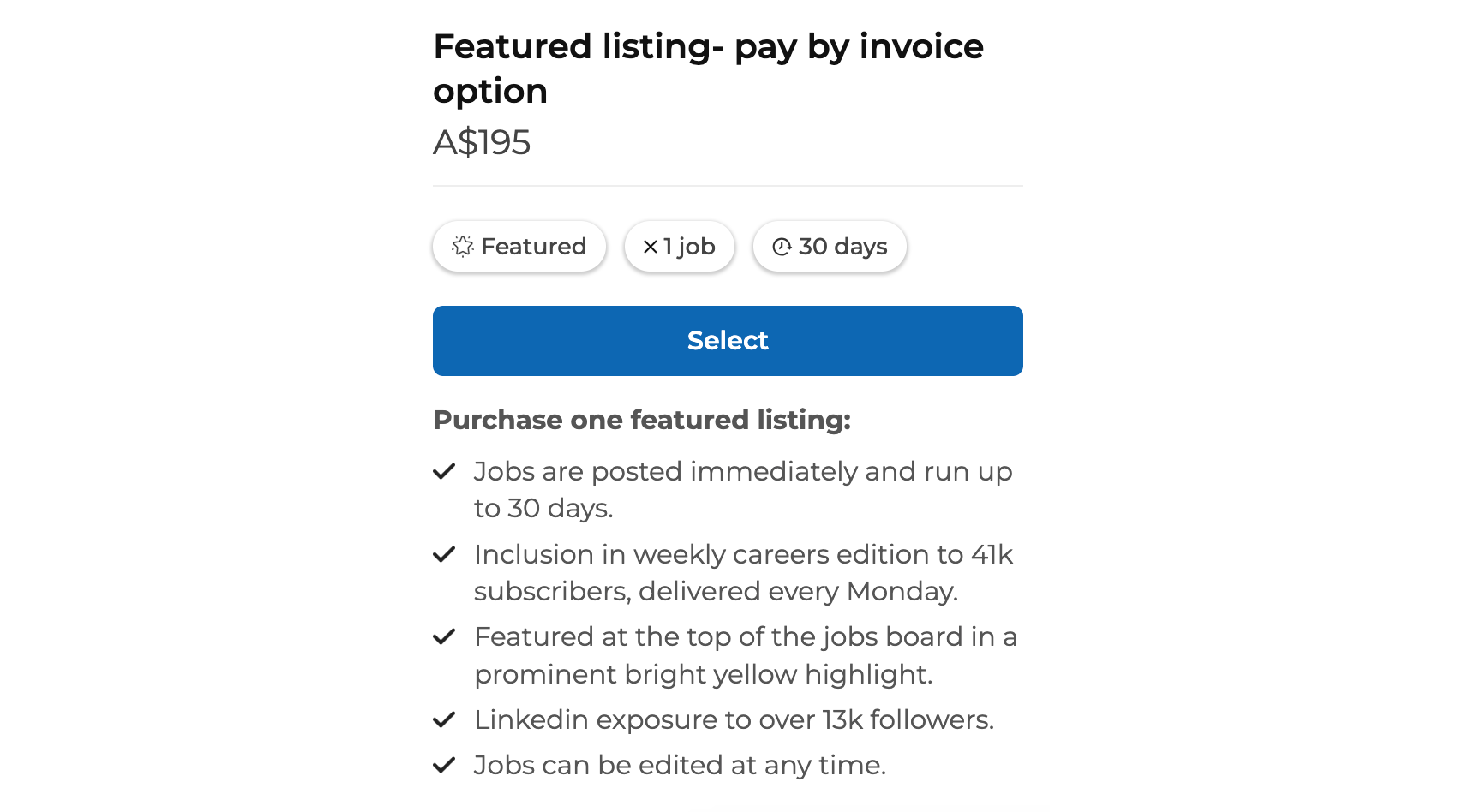
Whilst we are mainly set up and prefer for credit card payments, if you wish to pay for a job by invoice, select the standard or featured listing- pay by invoice option upon checkout
If you need to post multiple jobs, you will need to purchase multiple single job credits separately, as packs are not available for purchase by invoice.
Can I purchase a credit prior to posting a job?
No, you will need to post your role, by filling in the details of the role, select preview job and then purchase your credit at checkout.
I’m having trouble logging in or posting a role. Who can help?
Keep in mind, the Jobs Board is self managed and you will need to post your own roles.
If you experience any issues, and you have followed the above steps please contact our support at admin@probonoaustralia.com.au , and we’ll be happy to assist.
Still Have Questions?
If you need further help, reach out to our support team — we’re here to make posting jobs simple and seamless.